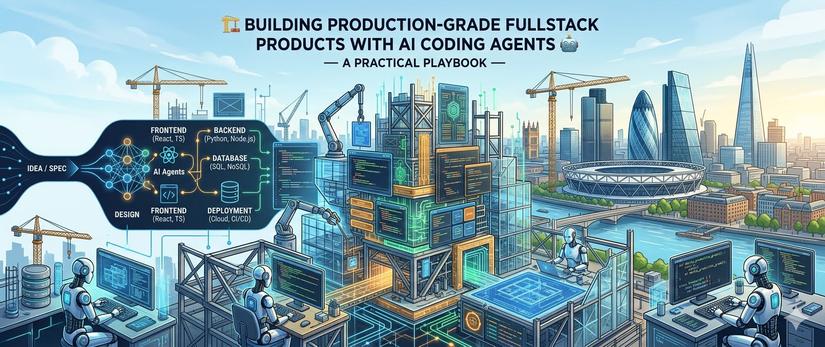
An opinionated, end-to-end field guide for engineers and small teams who want to ship fast, high-quality, production-ready fullstack software with AI coding agents (Claude Code, GitHub Copilot, Cursor, Codex, Windsurf, Cline, Aider) as the primary execution surface.
No theory-only fluff. Every section ends with concrete rules, real tool names, and the failure modes that bite in production. If you only read three sections, read §2 The Mental Model, §6 Context Engineering, and §19 Anti-Patterns.
Companion reads: 📘 Spec Kit vs. Superpowers ⚡ — A Comprehensive Comparison & Practical Guide to Combining Both 🚀, 💻 Vibe Coding Interview Guide: Ace AI-Assisted Coding Assessments 🤖, 🚀 The SaaS Template Playbook 📖, 🦸 The Solo-Founder Playbook: Zero Hero 🚀, 🏗️ Building High-Quality AI Agents 🤖 — A Comprehensive, Actionable Field Guide 📚.
📋 Table of Contents
- ⚡ Read This First — 7 Truths
- 🧠 The Mental Model — Director, Not Typist
- 🛠️ The 2026 Tooling Landscape
- 🧱 The Stack Decision — Boring Tech, Sharp Edges
- 📐 The Project Skeleton — Day 0 Setup
- 💭 Context Engineering — The 10x Multiplier
- 📜 The Repo as a Programming Language — CLAUDE.md, AGENTS.md, .cursorrules
- 🔁 The Spec → Plan → Code → Verify Loop
- ⚡ Parallel Agent Workflows — Worktrees & Subagents
- 🎨 Frontend Patterns That Survive AI Generation
- ⚙️ Backend Patterns That Survive AI Generation
- 🗄️ Database & Migrations — Where AI Fails Hardest
- 🔗 The Type-Safe Boundary — OpenAPI, tRPC, Codegen
- 🧪 Testing Strategy — AI's Highest Leverage Point
- 👀 Code Review — Two Humans, Two Robots
- 🚀 CI/CD, Preview Environments & Deploys
- 🔒 Security, Secrets & Sandbox Discipline
- 📊 Observability, Cost & Token Hygiene
- ⚠️ The Anti-Pattern Catalog
- 🗓️ Daily / Weekly Practitioner Cadence
- 🗺️ The 90-Day Roadmap from Zero → Production
- 📝 Cheat Sheet & Prompt Library
1. ⚡ Read This First — 7 Truths
These are the lessons that come up over and over in 2025–2026 retrospectives from teams shipping real product with AI agents. Internalize them before you write your first prompt.
-
The bottleneck moved from typing to thinking. AI generates code roughly 5–20x faster than humans type, but humans still review, design, debug, and own the system. The 10x productivity stories you hear are real only for teams that re-organized around this shift. Teams that kept their old process (write ticket → assign → wait → review) get maybe 1.5x. The shape of work changes; the speed only follows.
-
Context engineering > prompt engineering. A great prompt in a bad context (no
CLAUDE.md, no examples, wrong directory, no codebase conventions) produces worse output than a mediocre prompt in a well-engineered context. Most "the AI is bad" complaints are context complaints in disguise. -
The PR is the unit of work, not the ticket. The smallest reviewable, deployable, revertible chunk wins. Agents that produce 800-line PRs that touch 14 files are worse than agents that produce 80-line PRs across 5 commits. Train your agents to ship small.
-
Verification is now your highest-leverage skill. Anyone can generate code. Almost nobody can cheaply verify it. Tests, types, schemas, contracts, linters, preview environments, screenshots — the more the agent can self-check, the more autonomous the loop becomes.
-
Boring stacks compound. AI agents are trained on terabytes of TypeScript + React + Postgres + Tailwind. They are measurably better on those stacks than on Elm + Roc + FoundationDB. Your taste edge is your taste, not your stack. Pick the most mainstream stack you respect and never look back.
-
You will spend more on tokens than on humans by the end of year 2. Internal usage data from Anthropic and OpenAI partner reports through Q1 2026 show senior engineers running $200–$600/month in agent token spend at full velocity. Plan a budget, monitor it, optimize prompt caching and model selection. (Yes, it's still cheaper than another engineer.)
-
The "vibe coding" trap is real and unforgiving. Accepting code you don't understand is fine for a throwaway script and catastrophic for production. Andrej Karpathy's literal vibe-coding ("forget that the code even exists") is what causes the security breaches, prompt-injection escapes, and 2 AM pages that the news keeps reporting. You remain the engineer of record. Always.
The rest of this playbook is the implementation of those seven truths.
2. 🧠 The Mental Model — Director, Not Typist
The single most important reframing is this:
You are a director of a small team of fast, confident, occasionally wrong junior engineers. Your job is to set context, decompose work, review output, and own the final product. The agents do the typing.
This implies three role shifts:
🧑🏫 From "writer" to "spec-writer"
Old: spend 70% of time writing code, 20% reviewing, 10% designing. New: spend 50% specifying & reviewing, 30% testing & verifying, 20% writing the parts that still need a human (architecture decisions, security-critical paths, ambiguous UX).
A senior engineer's output curve looks like:
Productivity ≈ (clarity of spec) × (quality of harness) × (verification speed)
 ──────────────────────────────────────────────────────────────────
 (taste + judgment)
If you can specify cleanly, set up a good harness, and verify fast, agents amplify you 5–10x. If any of those three are weak, agents amplify you 1.5x and your spent tokens 10x.
🧰 From "tool user" to "harness builder"
The harness is the set of things the agent reads, writes, and runs outside the model itself: your CLAUDE.md, .cursorrules, slash commands, MCP servers, hooks, test runners, lint rules, scripts, prompt templates, custom skills.
A senior engineer invests the first 1–3 days of any new project building the harness before writing real product code. It is the single highest-ROI activity. See §6 Context Engineering.
🔬 From "ship it" to "verify and ship it"
Verification is now the bottleneck. Every minute you save by having the agent generate faster is wasted if you spend two minutes verifying. The successful workflow is:
Spec → Agent generates → Agent runs tests → Agent runs lint
 → Agent generates a screenshot/curl trace
 → You review the diff and the evidence → Merge
The agent should produce evidence (test results, screenshots, log output, type-check output) alongside the code. If it doesn't, your harness is wrong.
🎯 The taste budget
You have a finite "taste budget" per day — the number of small decisions you can make well. Spending it on indentation, import ordering, or "should this be a hook or a context?" is waste. Spending it on data model, API contract, and UX flow is leverage.
Push every low-taste decision into the harness (linters, formatters, generators, templates). Save taste for the things only you can do.
Actionable rules
- Treat the first day of every project as "harness day". No feature code until the harness is good.
- For every feature, write a 1–3 paragraph spec first. Paste it into the agent. Iterate on the spec before code.
- Never accept code you couldn't write yourself given enough time. You don't have to prefer to write it. You have to be able to audit it.
3. 🛠️ The 2026 Tooling Landscape
There are roughly four families of AI coding tools you'll encounter. Most production teams use two or three of them together — not one.
3.1 🖥️ The Agentic CLIs
Long-horizon, terminal-native agents that read/write files, run commands, and operate autonomously inside a repo. This is where the action is today.
| Tool | Owner | Strength | Cost shape | When to pick |
|---|---|---|---|---|
| Claude Code | Anthropic | Best general-purpose agent. Skills, hooks, plan mode, subagents, 1M-context Opus. | Subscription (Pro/Max) + token usage | Default for senior engineers; multi-hour autonomous work |
| Codex CLI | OpenAI | Tight GPT-5+ integration, fast on terminal tasks | Subscription + tokens | OpenAI-first shops; quick CLI workflows |
| Aider | open source | Repo-aware diffs, git-native, model-agnostic | BYOK | Hackers who want full control + cheap models |
| Cline / Roo Code | open source | VS Code agent, MCP-first | BYOK | When you want IDE integration but open weights |
| Devin | Cognition | Fully autonomous, Slack/PR-driven | Per-seat ($500/mo) | Async background work on bounded tasks |
| Replit Agent / Bolt / v0 / Lovable | various | One-shot fullstack scaffolders | Subscription | Throwaway prototypes; demos; idea validation |
Pick one as your primary, one as your secondary. Most teams converge on Claude Code as primary (long-horizon, autonomous, best harness) and Cursor or Copilot in-IDE as secondary (inline edits, autocomplete).
3.2 🪟 The IDE Agents
In-editor companions optimized for fast, low-latency edits and pair-coding style flow.
| Tool | Notes |
|---|---|
| Cursor | Best-in-class agent mode, tab-tab autocomplete, multi-file edits. Effectively a VS Code fork. Still the leader for pure IDE flow as of mid-2026. |
| GitHub Copilot | Now ships with agent mode + GPT-5.4, Sonnet 4.6, and Gemini 3.x; supports MCP, hooks (.github/hooks/*.json, Preview), .github/copilot-instructions.md, .github/prompts/*.prompt.md, custom chat modes, and reads .claude/settings.json/AGENTS.md directly. The "default safe choice" in regulated/enterprise environments and now a credible peer to Claude Code on the harness axis. |
| Windsurf | Cascade agent is strong; acquired by OpenAI in 2025, now integrated with Codex. |
| Zed | Native agent panel, fast, opinionated, model-pluggable. The rising option for terminal-and-keyboard purists. |
| JetBrains AI | Solid in JetBrains IDEs (GoLand, IntelliJ, PyCharm). |
3.3 🤖 The Background / Async Agents
Run on your PRs, in CI, or on a Slack mention. These don't replace your CLI/IDE agent — they complement it.
- CodeRabbit, Greptile, Coderabbit Pro — automated PR review. Good for catching obvious bugs, missing tests, security smells. Treat them as a robot junior reviewer, not a robot senior.
- GitHub Copilot Code Review — first-party PR review.
- Linear Magic / Jira AI — convert issues to draft PRs.
- CodeSee, Sourcegraph Cody — code search + comprehension on large repos.
3.4 🧪 The Specialized Surfaces
- v0.dev / Subframe / Galileo — UI generation from prompts/screenshots.
- Supabase AI / Neon AI — schema + query generation against your real DB.
- PostHog / Sentry AI — log + error explanation.
- Storybook + Chromatic — visual regression baked in.
3.5 The pragmatic stack for one engineer
If you want a no-nonsense recommendation:
| Surface | Pick |
|---|---|
| Primary agent | Claude Code (Opus 4.7 for big things, Sonnet 4.6 for everything else) |
| IDE assistant | Cursor or Copilot in VS Code |
| PR reviewer | CodeRabbit (free tier on public repos) |
| UI scaffolding | v0.dev for first-pass screens |
| Background tasks | Devin only if you have a real budget; otherwise skip |
Two agents in your daily flow is the sweet spot. Three is fine. Four is procrastination.
Actionable rules
- Pick one CLI agent and one IDE agent. Stop tool-shopping.
- Don't pay for a tool you used <3 times in the last month.
- Always have an open-source fallback (Aider/Cline) in case your primary is down.
4. 🧱 The Stack Decision — Boring Tech, Sharp Edges
AI agents perform measurably better on mainstream stacks. The training data is more comprehensive, the patterns are well-known, the gotchas are documented, and your harness inherits a decade of community tooling. This is not the place to be clever.
4.1 The defaults (pick from here unless you have a reason not to)
| Layer | Pick | Why |
|---|---|---|
| Frontend framework | React 19 + Vite, or Next.js 15 (App Router) | Largest training corpus by 10x. React 19's Actions + RSC are now stable. |
| Mobile | React Native + Expo SDK 53+, or web-first | Avoid native unless you must. |
| Styling | Tailwind CSS v4 + shadcn/ui | Tailwind's class-string syntax is extremely AI-friendly. shadcn = AI-readable component code in your repo. |
| State | TanStack Query (server state) + Zustand or Jotai (client state) | No more useEffect for data fetching. |
| Forms | React Hook Form + Zod | Schema-driven validation = type-safe contracts. |
| Backend language | TypeScript (Node 22+ / Bun 1.2+) or Go 1.23 or Python 3.12 + FastAPI | Pick TS if your team is JS; Go if you need raw throughput; Python if ML is core. |
| Backend framework | Hono / Elysia / Fastify (TS), chi or fiber (Go), FastAPI/Litestar (Python) | Modern, fast, type-safe. Avoid Express for greenfield. |
| Database | PostgreSQL (always) | Boring. Wins. Use jsonb for flexibility. |
| ORM / DB layer | Drizzle (TS), sqlc (Go), SQLAlchemy 2.x (Python) | Generated types from schema, no runtime magic. |
| Migrations | Drizzle Kit, goose, Alembic | All AI-friendly; agents can read and write the migration files. |
| Auth | Clerk or Auth.js or Better Auth (TS); Supabase Auth if you're already there | Don't roll your own. Ever. |
| Resend + React Email | Modern, scriptable, AI-friendly templates. | |
| Payments | Stripe (still). Polar.sh for OSS-friendly indie. | |
| File storage | Cloudflare R2 or S3 + pre-signed URLs | |
| Search | Postgres FTS for <1M rows; Typesense or Meilisearch otherwise | |
| Realtime | Postgres LISTEN/NOTIFY + SSE for simple; Liveblocks or Convex for collab | |
| Background jobs | Inngest or Trigger.dev or Hatchet | Code-first, type-safe, agent-friendly. Skip BullMQ unless you must. |
| Hosting (web) | Vercel or Fly.io or Cloudflare Pages/Workers | |
| Hosting (db) | Neon or Supabase or Railway Postgres | Branchable DBs are huge for agent workflows — see §12. |
| Monitoring | Sentry + PostHog + Axiom (logs) | |
| CI/CD | GitHub Actions, period. | |
| AI code review | CodeRabbit (cheap) or Greptile (better) |
4.2 What to avoid
- Custom CSS systems. Agents are great at Tailwind, mid at CSS Modules, bad at bespoke design tokens you defined in JSON.
- Microservices on day 1. A modular monolith is faster to build, faster for the agent to navigate, and almost always wins until you're at ~$5M ARR.
- GraphQL as the default contract. It's fine, but REST + OpenAPI (or tRPC for monorepos) is simpler and the agent is better at it. Use GraphQL only when you have a real federation need.
- NoSQL by default. Postgres + jsonb covers 95% of use cases and the agent will not silently corrupt a foreign key.
- Server-driven UI frameworks the agent has barely seen (Phoenix LiveView, htmx + Alpine, etc. — fine choices, just slower for agents).
- Hand-rolled auth, hand-rolled rate-limiting, hand-rolled crypto. Three things that get teams hacked when agents write them.
4.3 The monorepo question
For most teams: one git repo, one pnpm (or bun) workspace, separate packages for web, api, db, shared. Use turborepo or nx only if your build graph genuinely needs it.
Agents are more effective in a monorepo because they can see the whole product in one context window (especially with 200k+ context models). Splitting too early creates more friction than it saves.
Actionable rules
- Default to: React 19 + Vite + Tailwind + shadcn / Hono or FastAPI / Postgres + Drizzle or sqlc / Vercel + Neon.
- Resist the urge to evaluate a 5th JS framework. Ship something instead.
- If the agent struggles with your stack in the first week, the stack is wrong — not the agent.
5. 📐 The Project Skeleton — Day 0 Setup
Before any feature work, get the skeleton right. The agent will fight you for the rest of the project if you don't.
5.1 The "first commit" checklist
# 1. Repo bootstrapped with a real template (not from scratch)
pnpm dlx create-t3-app # or Next.js, or your team's template

# 2. Strict everything
# - TypeScript: "strict": true, "noUncheckedIndexedAccess": true
# - ESLint: recommended + import/order + your team rules
# - Prettier: shared config
# - Husky + lint-staged: pre-commit hooks
# - .editorconfig

# 3. Test runner installed and the first test passing
pnpm add -D vitest @testing-library/react @playwright/test
pnpm test # 1 passing — don't skip this

# 4. CI green on a blank PR
gh workflow run ci.yml

# 5. Deploy preview working
vercel link && git push # see a preview URL

# 6. .env.example committed; .env in .gitignore

# 7. README has: install, dev, test, deploy, troubleshoot

# 8. AGENTS.md / CLAUDE.md / .cursorrules in place (see §7)
Until all 8 items are green, no feature work. This usually takes a half day. It pays back the first time the agent needs to find your test runner or your lint config.
5.2 The directory shape
For a typical fullstack app:
repo/
├── apps/
│ ├── web/ # React + Vite (or Next.js)
│ │ ├── src/
│ │ │ ├── components/ # shared UI (atoms, molecules)
│ │ │ ├── features/ # vertical slices: auth, billing, dashboard
│ │ │ ├── pages/ or routes/
│ │ │ ├── hooks/
│ │ │ ├── lib/ # api client, utils
│ │ │ └── types/
│ │ ├── e2e/ # Playwright
│ │ └── package.json
│ └── api/ # Hono / FastAPI / Go
│ ├── src/
│ │ ├── routes/ # HTTP layer
│ │ ├── services/ # business logic
│ │ ├── repos/ # DB access
│ │ ├── schemas/ # request/response shapes
│ │ └── middleware/
│ ├── migrations/
│ └── package.json
├── packages/
│ ├── shared/ # cross-package types, zod schemas
│ ├── db/ # Drizzle schema, generated types
│ └── config/ # eslint, tsconfig, tailwind shared
├── scripts/ # one-liners agents can run
├── docs/ # ADRs, runbooks, RFCs
│ └── decisions/
├── AGENTS.md
├── CLAUDE.md
├── .cursorrules
├── .env.example
└── README.md
Two non-obvious principles:
- Feature-first, not type-first. Don't put all components in
/componentsand all hooks in/hooks. Use/features/billing/containing billing's hooks, components, and types together. Agents navigate features 5x faster than they navigate file-type buckets. - One file = one responsibility. AI generates better when each file has a clear, narrow purpose. Avoid 800-line "kitchen sink" files. Aim for files under 300 lines.
5.3 Scripts that pay back forever
In scripts/ (and exposed via package.json or a Makefile):
dev # start everything in watch mode
test # run all tests
test:watch
lint
lint:fix
typecheck
build
migrate:up
migrate:new name=<x>
db:seed
db:reset
gen:api # generate types from OpenAPI
gen:db # generate Drizzle/sqlc types
e2e
e2e:headed
Document them in CLAUDE.md. Agents will discover and use them — but only if you tell them they exist.
Actionable rules
- Spend the first half-day on the skeleton. Don't ship feature code on a broken skeleton.
- Feature-folder, not type-folder.
- Every script the agent might want is in
package.jsonorMakefileand documented inCLAUDE.md.
6. 💭 Context Engineering — The 10x Multiplier
If there's one idea to take from this guide, it's this:
The agent's output quality is dominated by the context you provide, not the model you pick.
Switching from Sonnet 4.6 to Opus 4.7 might give you a 1.3x quality bump. Going from a bad context to a good context gives you a 3–5x bump. They are not the same lever.
6.1 What "context" actually means
There are six layers, and you need all six tuned:
| Layer | What it is | Where it lives |
|---|---|---|
| 1. System / role | Who the agent is, what voice, what discipline | CLAUDE.md, system prompts |
| 2. Project conventions | Stack, layering rules, file structure, naming | CLAUDE.md, AGENTS.md, .cursorrules |
| 3. Task spec | What to build, why, constraints, success criteria | Your prompt + linked spec file |
| 4. Code context | Relevant files, types, patterns | Auto-loaded by agent + explicit @file mentions |
| 5. Tool surface | What it can run (tests, scripts, MCP servers) | Tool config, skill defs |
| 6. Memory / history | What's been decided before, what failed, what worked | Memory files, conversation log, ADRs in docs/ |
A frequent mistake is over-investing in layer 3 (prompts) and under-investing in layers 2, 5, and 6.
6.2 The "load-bearing" files
These are files the agent reads at the start of nearly every session. Treat them like API contracts — small, precise, evergreen.
CLAUDE.md(orAGENTS.md— the emerging cross-tool standard) — the project's operating instructions..cursorrules— Cursor-specific rules (similar content, narrower scope).README.md— install + dev + test, agent-readable.docs/decisions/— ADRs (architecture decision records). Why we picked X over Y.docs/runbooks/— common operational tasks.
AGENTS.md is becoming the cross-tool standard, used by Codex, Aider, Cline, and others. Symlinking CLAUDE.md → AGENTS.md (or just maintaining both) is a one-line move that pays off when teammates use different tools.
6.3 What goes into a great CLAUDE.md
Five sections, in this order:
- Project summary — 3 sentences max. What is this product? Who uses it?
- Architecture — one paragraph + ASCII diagram. Service boundaries.
- Stack & conventions — bullet list per language: layering, error handling, testing, lint.
- Common commands —
make dev,pnpm test, etc. - Pitfalls — the project-specific gotchas you've already discovered.
Look at this repo's own CLAUDE.md for a working example. The whole file is <200 lines. It is the single highest-ROI document in the project.
6.4 What NOT to put in CLAUDE.md
- Long lists of file paths the agent can discover by
ls. - API documentation that lives elsewhere.
- A history of every decision (use ADRs instead).
- "Always be respectful, please write good code" filler.
The agent has a context budget. Every token in CLAUDE.md is a token not spent on understanding the task. Keep it tight.
6.5 Slash commands & skills
Claude Code, Cursor, and GitHub Copilot all support custom slash commands now — they're prompt templates with arguments you fire with /<name>. Storage location differs:
| Tool | Location | File shape |
|---|---|---|
| Claude Code | .claude/commands/*.md or ~/.claude/commands/*.md |
Markdown body = prompt; frontmatter optional |
| GitHub Copilot | .github/prompts/*.prompt.md |
YAML frontmatter (mode, tools, description) + markdown body |
| Cursor | .cursor/commands/ or Settings → Custom Commands |
Markdown prompts |
For most teams: keep the canonical prompts in docs/prompts/ as the source of truth, then symlink (or generate) into each tool-specific directory.
Examples worth building once:
/pr → "Open a PR for the current branch with title and body
 derived from the diff."
/migrate → "Generate a new migration with the given name."
/spec X → "Write a spec for feature X. Output to docs/specs/."
/review → "Review the diff in the current branch as a senior eng."
/run → "Start the dev server, run the feature, screenshot it."
/test name=Y → "Run the test suite for service Y."
These look trivial but compound massively. Every team that ships fast has 10–20 of these. They are the "muscle memory" of your agent harness.
Skills — the agent-invoked cousin of slash commands
Slash commands are user-triggered (/<name>); skills are model-triggered — the agent loads them automatically when it sees a task that matches the skill's description. This is the difference between a keyboard shortcut and an instinct.
A skill is just a folder with a SKILL.md file:
.claude/skills/migrate/
├── SKILL.md # YAML frontmatter + instructions
├── references/ # extra files SKILL.md links to
└── scripts/ # helper scripts the skill may run
---
name: migrate
description: Create, run, or roll back a database migration in this repo.
 Trigger when the user mentions schema changes, new tables,
 new columns, or "migration".
---
This repo uses goose. To create a new migration:
1. Run `make migrate-new name=<snake_case_name>`
2. Edit the generated `migrations/<timestamp>_<name>.sql`
3. Both `-- +goose Up` and `-- +goose Down` must be present.
4. Apply with `make migrate-up`; verify with `make migrate-status`.
[…]
Paths the major tools look in (open standard since April 2026 — same SKILL.md format works in all of them):
| Tool | Project skills | User skills |
|---|---|---|
| Claude Code | .claude/skills/ |
~/.claude/skills/ |
| GitHub Copilot | .github/skills/ |
~/.copilot/skills/ |
| Cross-tool (Codex, Cursor, Aider, …) | .agents/skills/ |
~/.agents/skills/ |
Recommended setup: keep skills in .agents/skills/ as the source of truth, then symlink .claude/skills/ and .github/skills/ to point at it. Discover and install community skills via gh skill install <repo>.
Use slash commands for deterministic workflows you fire on demand (/pr, /review). Use skills for domain knowledge the agent should reach for automatically (migrations, error handling conventions, runbook procedures, codegen invariants). A well-staffed harness has ~10 slash commands and ~5–10 skills.
6.6 MCP servers — context as a service
The Model Context Protocol (MCP) has stabilized in 2025–2026 as the de facto plugin standard for agents. The registry now has thousands of MCP servers; the ones you actually want for fullstack work are:
| MCP server | What it gives the agent |
|---|---|
| Filesystem | Read/write/list files (built into most agents) |
| GitHub / GitLab | Open PRs, read issues, comment |
| Linear / Jira | Read tickets, update status |
| Postgres / Supabase | Run SQL against branch DBs |
| Sentry / PostHog | Read error/event data |
| Playwright / browser-use | Drive a real browser, take screenshots |
| Slack | Post updates / read threads |
| Vercel / Fly / Cloudflare | Inspect deploys, read logs |
A senior engineer has 5–10 MCP servers wired up. They turn the agent from "code generator" into "actual collaborator that can read your DB, drive your browser, and update your Linear ticket."
6.7 Hooks — the guardrails layer
Both Claude Code and GitHub Copilot (CLI + VS Code Chat, Preview) ship a hooks system that runs shell commands at lifecycle points: PreToolUse, PostToolUse, Stop, UserPromptSubmit, SessionStart, SubagentStart/SubagentStop, PreCompact. Cursor and Cline have lighter equivalents. Use them for guardrails the model can't be trusted to enforce in its own prose. See the cross-tool callout below for the portability rules.
The minimal .claude/settings.json for a stack of Go API + Python ML service + React frontend + Postgres + Redis + NATS JetStream:
{
 "hooks": {
 "PreToolUse": [
 { "matcher": "Bash", "command": "scripts/hooks/guard-destructive.sh" },
 { "matcher": "Edit|Write", "command": "scripts/hooks/guard-generated.sh" }
 ],
 "PostToolUse": [
 { "matcher": "Edit|Write", "filePattern": "**/*.go",
 "command": "scripts/hooks/post-edit-go.sh" },
 { "matcher": "Edit|Write", "filePattern": "**/*.py",
 "command": "scripts/hooks/post-edit-py.sh" },
 { "matcher": "Edit|Write", "filePattern": "**/*.{ts,tsx}",
 "command": "scripts/hooks/post-edit-ts.sh" },
 { "matcher": "Edit|Write", "filePattern": "{migrations,db/schema}/**",
 "command": "scripts/hooks/post-schema-change.sh" }
 ],
 "Stop": [
 { "command": "scripts/hooks/on-stop.sh" }
 ]
 }
}
Below are real, copy-pasteable hook scripts. Each one has caught a specific class of AI-generated bug in production.
🛑 guard-destructive.sh — block dangerous shell commands
#!/usr/bin/env bash
# scripts/hooks/guard-destructive.sh
# exit 1 = block; exit 0 = allow.
# Portable across Claude Code, Copilot CLI, and VS Code Copilot.
set -e
CMD="${CLAUDE_TOOL_INPUT:-${COPILOT_TOOL_INPUT:-${TOOL_INPUT:-$1}}}"
ENV="${APP_ENV:-development}"
block() { echo "🚫 BLOCKED: $1" >&2; exit 1; }

# 1. Postgres — no DROP / TRUNCATE / DELETE-without-WHERE on prod
if [[ "$ENV" == "production" ]]; then
 echo "$CMD" | grep -qiE 'DROP\s+(TABLE|DATABASE|SCHEMA)' && block "DROP on production"
 echo "$CMD" | grep -qiE '\bTRUNCATE\b' && block "TRUNCATE on production"
 echo "$CMD" | grep -qiE 'DELETE\s+FROM\s+\w+\s*;' && block "DELETE without WHERE"
fi

# 2. Redis — never FLUSH prod, warn on staging
if echo "$CMD" | grep -qE '\b(FLUSHALL|FLUSHDB|DEBUG\s+FLUSHALL)\b'; then
 [[ "$ENV" == "production" ]] && block "Redis FLUSH on production"
 echo "⚠ Redis FLUSH detected (env=$ENV)" >&2
fi

# 3. NATS JetStream — no stream/consumer purge or delete on prod
if echo "$CMD" | grep -qE 'nats (stream|consumer) (rm|delete|purge)'; then
 [[ "$ENV" == "production" ]] && block "NATS destructive op on production"
fi

# 4. Git — no force-push to protected branches
if echo "$CMD" | grep -qE 'git push.*--force(-with-lease)?'; then
 echo "$CMD" | grep -qE '(main|master|release/|prod)' && block "force-push to protected branch"
fi

# 5. Secrets — never read or commit prod env files
echo "$CMD" | grep -qE '(cat|less|head|tail|cp)\s+.*\.env\.(prod|production)' \
 && block "reading .env.production"

# 6. rm -rf outside repo or /tmp
echo "$CMD" | grep -qE 'rm\s+-rf?\s+/[^t]' && block "rm -rf outside repo / /tmp"

exit 0
🐹 post-edit-go.sh — verify Go after every edit
#!/usr/bin/env bash
# scripts/hooks/post-edit-go.sh
set -e
CHANGED=$(git diff --name-only --diff-filter=AM | grep '\.go$' || true)
[[ -z "$CHANGED" ]] && exit 0

echo "→ gofmt + goimports"
gofmt -w $CHANGED
goimports -w -local "github.com/yourorg/yourrepo" $CHANGED

echo "→ go vet"
go vet ./...

echo "→ golangci-lint (changed packages, only new issues)"
PKGS=$(echo "$CHANGED" | xargs -n1 dirname | sort -u | sed 's|^|./|')
golangci-lint run --fast --new-from-rev=origin/main $PKGS

# Regenerate sqlc if any SQL query file changed
if echo "$CHANGED" | grep -q "internal/db/queries/"; then
 echo "→ sqlc generate"
 sqlc generate
fi

echo "→ go test -race -count=1 -short (changed packages)"
go test -race -count=1 -timeout=60s -short $(go list $PKGS 2>/dev/null || echo "./...")

echo "✓ Go checks passed"
Caught in the wild: agent introduced a goroutine that closed over a loop variable.
go testpassed;go test -raceflagged the data race. The hook caught it before the PR opened.
🐍 post-edit-py.sh — verify Python after every edit
#!/usr/bin/env bash
# scripts/hooks/post-edit-py.sh
set -e
CHANGED=$(git diff --name-only --diff-filter=AM | grep '\.py$' || true)
[[ -z "$CHANGED" ]] && exit 0

echo "→ ruff (lint + fix + format)"
uv run ruff check --fix $CHANGED
uv run ruff format $CHANGED

echo "→ mypy --strict"
uv run mypy --strict $CHANGED

# Target tests for changed modules; fall back to the fast suite
TEST_TARGETS=""
for f in $CHANGED; do
 rel=$(echo "$f" | sed 's|^src/|tests/|; s|\.py$|_test.py|')
 [[ -f "$rel" ]] && TEST_TARGETS="$TEST_TARGETS $rel"
done

if [[ -n "$TEST_TARGETS" ]]; then
 echo "→ pytest (targeted)"
 uv run pytest -q --no-header $TEST_TARGETS
else
 echo "→ pytest -m 'not slow'"
 uv run pytest -q --no-header -m "not slow" --maxfail=1
fi

echo "✓ Python checks passed"
Caught in the wild: agent annotated a service as
-> Userwhile the implementation returnedOptional[User].mypy --strictrejected the call site that diduser.email.
⚛️ post-edit-ts.sh — verify React / TypeScript after every edit
#!/usr/bin/env bash
# scripts/hooks/post-edit-ts.sh
set -e
cd apps/web
CHANGED=$(git -C ../.. diff --name-only --diff-filter=AM | grep -E '\.(ts|tsx)$' || true)
[[ -z "$CHANGED" ]] && exit 0

echo "→ tsc --noEmit"
pnpm exec tsc --noEmit

echo "→ eslint --max-warnings=0 (changed)"
pnpm exec eslint --max-warnings=0 --no-warn-ignored $CHANGED

echo "→ vitest related (changed)"
pnpm exec vitest related $CHANGED --run --reporter=dot

# Block hand-edits to the generated API client
if echo "$CHANGED" | grep -q "src/lib/api/generated"; then
 echo "🚫 BLOCKED: edited generated API client. Run 'pnpm gen:api' instead." >&2
 exit 1
fi

# Reject sneaky @ts-ignore / @ts-expect-error without rationale
SNEAKY=$(git diff -U0 $CHANGED | grep -E '^\+.*@ts-(ignore|expect-error)' | grep -v "// reason:" || true)
if [[ -n "$SNEAKY" ]]; then
 echo "🚫 BLOCKED: @ts-* directive without '// reason: …' comment" >&2
 echo "$SNEAKY" >&2
 exit 1
fi

echo "✓ TS checks passed"
Caught in the wild: agent silenced a real type error with
// @ts-expect-errorrather than fixing the data shape. The hook required a// reason: …justification, which surfaced the real bug.
🔒 guard-generated.sh — protect generated and immutable files
#!/usr/bin/env bash
# scripts/hooks/guard-generated.sh
# Portable across Claude Code (CLAUDE_TOOL_FILE_PATH),
# VS Code Copilot (TOOL_INPUT_FILE_PATH), and Copilot CLI.
TARGET="${CLAUDE_TOOL_FILE_PATH:-${TOOL_INPUT_FILE_PATH:-${COPILOT_TOOL_INPUT_FILE_PATH:-$1}}}"
[[ -z "$TARGET" || ! -f "$TARGET" ]] && exit 0

# 1. Files with a GENERATED banner are never hand-edited
if head -3 "$TARGET" 2>/dev/null | grep -q "GENERATED — DO NOT EDIT"; then
 echo "🚫 BLOCKED: $TARGET is generated. Re-run the generator." >&2
 exit 1
fi

# 2. Already-committed migrations are immutable
if [[ "$TARGET" == migrations/*.sql || "$TARGET" == backend-go/migrations/*.sql ]]; then
 if git log --oneline -- "$TARGET" 2>/dev/null | grep -q .; then
 echo "🚫 BLOCKED: $TARGET is an applied migration. Create a NEW file." >&2
 exit 1
 fi
fi

exit 0
🔁 post-schema-change.sh — keep types in sync across the stack
#!/usr/bin/env bash
# scripts/hooks/post-schema-change.sh
set -e
CHANGED=$(git diff --name-only --diff-filter=AM)

# Postgres schema → regenerate Go (sqlc) + OpenAPI + TS client
if echo "$CHANGED" | grep -qE '(internal/db/schema/|migrations/.*\.sql$)'; then
 echo "→ sqlc generate"
 (cd backend-go && sqlc generate)

 echo "→ openapi export"
 (cd backend-go && go run ./cmd/openapi-gen > ../apps/web/openapi.json)

 echo "→ TS client regen"
 (cd apps/web && pnpm gen:api && pnpm exec tsc --noEmit)
fi

# Pydantic schemas → regen JSON Schema for FE
if echo "$CHANGED" | grep -q "backend-python/src/schemas/"; then
 echo "→ JSON Schema export"
 (cd backend-python && uv run python scripts/export_schemas.py)
fi

# NATS subjects file → regen typed publishers/consumers (Go + TS)
if echo "$CHANGED" | grep -q "shared/nats/subjects.yaml"; then
 echo "→ nats codegen"
 go run ./cmd/nats-codegen
fi

echo "✓ Schema regen complete"
Caught in the wild: agent renamed
users.email_address→users.email. Without this hook the TS client still referencedemail_address; runtime 500s on first call. With it, regen ran andtscflagged six frontend call sites in the same turn.
🏁 on-stop.sh — last-chance sanity check before the agent yields
#!/usr/bin/env bash
# scripts/hooks/on-stop.sh
set -e

# 1. Secret patterns in the staged diff
SECRETS=$(git diff --cached | grep -E '(AKIA[0-9A-Z]{16}|ghp_[A-Za-z0-9]{36}|sk-(ant-|proj-)?[A-Za-z0-9]{40,}|-----BEGIN [A-Z ]+PRIVATE KEY-----)' || true)
if [[ -n "$SECRETS" ]]; then
 echo "⚠ POSSIBLE SECRET in staged diff:" >&2
 echo "$SECRETS" >&2
fi

# 2. Debug leftovers
LEFTOVERS=$(git diff | grep -E '^\+.*(console\.log|fmt\.Println|print\(.*(DEBUG|XXX)|TODO\(claude\)|debugger;)' || true)
if [[ -n "$LEFTOVERS" ]]; then
 echo "⚠ DEBUG NOISE in diff:" >&2
 echo "$LEFTOVERS" >&2
fi

# 3. Run the quick suite
echo "→ make test-quick"
make test-quick

exit 0
Why each hook earns its keep
| Hook | Class of bug it blocks | Concrete near-miss |
|---|---|---|
guard-destructive |
Catastrophic prod op via wrong DB / Redis / NATS URL | Agent ran TRUNCATE users after psql $STAGING_URL resolved to prod via stale env |
guard-generated |
Lost work after next codegen | Agent edited generated.ts; next gen:api produced a confusing reverted diff |
post-edit-go (race) |
Concurrency bugs that pass non-race tests | Goroutine closing over loop variable; panics under load |
post-edit-py (mypy strict) |
None.foo at runtime |
Service returned Optional[User]; caller did .email |
post-edit-ts (no @ts-) |
Silenced real type errors | Agent suppressed a type mismatch instead of fixing the shape |
post-schema-change |
Type drift across services | Column renamed in Postgres; TS client still referenced old name |
on-stop |
Secrets, prints, TODO(claude) shipped in PRs |
Agent left console.log(authToken) while debugging a Stripe webhook |
🔄 Cross-tool: the same hooks work in GitHub Copilot too
As of mid-2026 GitHub Copilot ships its own hooks system with a near-identical lifecycle model — PreToolUse, PostToolUse, PostToolUseFailure, Stop, SessionStart, SessionEnd, UserPromptSubmit, SubagentStart, SubagentStop, PreCompact, plus a few CLI-only events (notification, permissionRequest). Both event-name styles (PreToolUse and preToolUse) are accepted.
Both Copilot CLI and VS Code's Copilot Chat read configuration from:
.github/hooks/*.json— Copilot's native path; or.claude/settings.json/.claude/settings.local.json— the same files Claude Code uses, read directly.
This means the seven scripts above port across both tools with zero changes — provided you handle three gotchas:
-
VS Code Copilot ignores
matcher/filePatternvalues. Every hook fires on every tool invocation. The scripts above already self-filter by inspectinggit diff --name-only, so they remain correct. If you write a new hook that only checks$TOOL_INPUT_FILE_PATH, add agit difffilter inside the script or you'll run a full Go test suite on everyBashinvocation. -
Env-var names differ between tools. Claude Code exposes
$CLAUDE_TOOL_INPUT/$CLAUDE_TOOL_FILE_PATH; VS Code Copilot uses$TOOL_INPUT_FILE_PATH; Copilot CLI has its own variants. The scripts above use a portable shim:
INPUT="${CLAUDE_TOOL_INPUT:-${COPILOT_TOOL_INPUT:-${TOOL_INPUT:-$1}}}"
FILE="${CLAUDE_TOOL_FILE_PATH:-${TOOL_INPUT_FILE_PATH:-${COPILOT_TOOL_INPUT_FILE_PATH:-$1}}}"
- Cloud agent ≠ local.
notificationandpermissionRequestevents don't fire in Copilot's cloud agent. Stick toPreToolUse+PostToolUse+Stop+SessionStartfor guardrails that must work on every surface.
VS Code adds two ergonomics on top of the JSON config: /hooks in chat to manage them with a UI, /create-hook to AI-generate one, and a Output → Copilot Chat Hooks panel to watch them fire in real time. Copilot Hooks is still in Preview as of mid-2026, so pin to the hooks reference and the VS Code hooks docs — the schema is stable but minor names are still moving.
TL;DR — what you actually maintain
| Artifact | Claude Code | Copilot CLI | VS Code Copilot |
|---|---|---|---|
.claude/settings.json |
native | ✅ reads directly | ✅ reads directly |
.github/hooks/*.json |
— | native | ✅ |
scripts/hooks/*.sh |
universal | universal | universal (matchers ignored — scripts must self-filter) |
/hooks UI to manage |
— | — | ✅ |
So in practice: maintain one set of shell scripts under scripts/hooks/, point both .claude/settings.json and .github/hooks/*.json at them, and the same guardrails fire across every tool your team uses.
Hooks are not optional. They're how you sleep at night.
Actionable rules
- Spend a half-day writing your
CLAUDE.md+AGENTS.md. Keep it under 200 lines.- Maintain 10–20 slash commands. Add a new one any time you type the same prompt twice.
- Wire up at least 3 MCP servers: GitHub, your DB, and a browser/Playwright.
- Add hooks for the dangerous stuff: pushing to main, destructive DB commands, secret commits.
7. 📜 The Repo as a Programming Language
Think of your project's "agent harness" — the CLAUDE.md, AGENTS.md, .cursorrules, slash commands, hooks, scripts, lint rules, generators — as a domain-specific language the agent compiles against.
The same prompt sent to a repo with a great harness vs. a bare repo produces radically different output. This isn't a metaphor — it's how the models genuinely behave.
7.1 The load-bearing files
The instruction files agents read on every session:
| File | Audience | Length |
|---|---|---|
AGENTS.md |
Codex, Aider, Cline, Cursor (newer), Copilot agent mode — the emerging cross-tool standard | 100–250 lines |
CLAUDE.md |
Claude Code | Symlink to AGENTS.md |
.github/copilot-instructions.md |
GitHub Copilot (auto-loaded in every chat) | Symlink to AGENTS.md |
.github/instructions/*.instructions.md |
Copilot, path-scoped via applyTo: frontmatter |
50–150 lines each, narrow scope |
.cursorrules |
Cursor specifically | 50–100 lines; narrower, IDE-style rules |
Recommended setup: AGENTS.md is the single source of truth. Symlink CLAUDE.md and .github/copilot-instructions.md to point at it. Keep .cursorrules and any Copilot path-scoped instruction files short and tactical (e.g., "always import from @/lib/api, never relative paths").
# one-line setup, repeat per repo
ln -s AGENTS.md CLAUDE.md
mkdir -p .github && ln -s ../AGENTS.md .github/copilot-instructions.md
7.2 The "house style" pattern
Rather than scattering style rules across .cursorrules and CLAUDE.md, write a single docs/style.md and reference it from both. Agents will follow links — but only if the linked file is small enough to load (~few hundred lines max).
Example skeleton:
# House Style

## TypeScript
- "any" is banned outside `src/types/external.d.ts`.
- Server-state is React Query; client-state is Zustand.
- All async functions return `Result<T, E>` from `@/lib/result`, never bare throws across boundaries.

## React
- One component per file; named export.
- Tailwind only; no `style={{...}}`.
- Forms: react-hook-form + zodResolver.
- Tests co-located: `Foo.tsx` + `Foo.test.tsx`.

## API
- Routes thin; services own logic; repos own SQL.
- Every endpoint has a zod schema in `packages/shared/`.
- Errors return `{ code, message }`; never raw 500s.
7.3 Examples beat rules
A rule like "use the Result pattern for error handling" produces inconsistent output. A rule like:
Error handling — example
// GOOD
async function getUser(id: string): Promise<Result<User, NotFoundError>> {
 const row = await db.users.find(id);
 if (!row) return err(new NotFoundError("user", id));
 return ok(row);
}

// BAD — throws across service boundary
async function getUser(id: string): Promise<User> {
 const row = await db.users.find(id);
 if (!row) throw new NotFoundError(...);
 return row;
}
...produces consistent output because the model is a pattern-matcher and you gave it a pattern.
For every non-trivial convention, put a 5-line good example and a 5-line bad example. This single technique improves output adherence by a wide margin.
7.4 Versioning the harness
Your CLAUDE.md and friends will drift. Treat them as code:
- Reviewed in PRs.
- Updated whenever the convention changes (refactor agents to update them in the same PR).
- Periodically audited (every 1–2 months) — agents will sometimes invent rules that aren't actually there, and human readers can spot mismatches.
A /review-harness slash command that has the agent read CLAUDE.md and check the current codebase against it is a great quarterly hygiene task.
Actionable rules
- Have
AGENTS.mdas the single source of truth. SymlinkCLAUDE.mdif your team uses Claude Code.- Every convention gets a GOOD/BAD example, not just a rule.
- Audit the harness every quarter — both for staleness and for "rules we wrote but don't actually follow".
8. 🔁 The Spec → Plan → Code → Verify Loop
The single most reliable feature workflow has four phases, and skipping any of them is the most common reason agents go off the rails.
 ┌────────┐ ┌──────┐ ┌──────┐ ┌────────┐
 │ SPEC │───▶│ PLAN │───▶│ CODE │───▶│ VERIFY │────┐
 └────────┘ └──────┘ └──────┘ └────────┘ │
 ▲ │
 └──────────────────────────────────────────────┘
 (fail → back to plan or spec)
8.1 SPEC — write it like a human
A great feature spec is 200–600 words and answers:
- What user problem does this solve? (one line)
- What's the smallest version that's still valuable? (the MVP within the MVP)
- What does the UI/UX look like? (rough sketch or screenshot; v0.dev output is fine)
- What's the data model? (tables/columns/relationships)
- What's the API surface? (3–10 endpoints with shapes)
- What are the non-goals? (what you are not doing)
- What are the success criteria? (1–3 testable conditions)
Store this in docs/specs/<feature>.md. Agents reference it across multiple sessions.
Spec-Driven Development (SDD) as a discipline got real traction in 2025–2026 through tools like GitHub's Spec Kit. The deeper lesson: for any non-trivial feature, the time you spend writing the spec is repaid 3–5x in the code phase. Skipping it for a 2-hour task is fine. Skipping it for a 2-day task is malpractice.
8.2 PLAN — make the agent show its work
Once the spec is solid, ask the agent to produce a plan, not code. Most tools have a "plan mode" or equivalent now:
- Claude Code:
Planmode (Shift+Tab). - Cursor: ask for a plan first; reject if it starts coding.
- Cline: built-in plan/act split.
A good plan:
- Lists files to be created or modified.
- Identifies risks ("this changes the user table schema; existing rows need a default").
- Calls out questions ("should this endpoint be paginated?").
- Estimates work in stages (so you can ship a partial version).
Review the plan as carefully as you'd review code. A bad plan produces unfixable code.
8.3 CODE — small chunks, frequent commits
Once you approve the plan, let the agent execute — but:
- One logical chunk at a time. Schema → repo → service → route → frontend hook → frontend component → tests. Not all at once.
- Commit after each chunk. Or at minimum, after each layer. Reverting one bad chunk is easy; untangling 14 files is not.
- Don't let the agent silently expand scope. If it starts refactoring something tangential, stop it. Open a separate task.
The 80-line PR is the unit of work. Long PRs are a smell, not a virtue.
8.4 VERIFY — the make-or-break step
Verification has at least four levels. Use *all of the...